Showing posts with label from. Show all posts
Showing posts with label from. Show all posts
Thursday, November 20, 2014
Blog Are Producing The Jump From Mobile phones To Autos
We all have been familiar with applying blog with mobile phones in addition to capsules although along with cars acquiring smarter in addition to smarter, we are coming into the latest get older regarding with vehicle iphone app activity as well. Inbuilt activity systems like Frd CONNECT Application Link allow drivers along with compatible vehicles to be able to work with a number of the prime cell blog although on the road in addition to management them along with words commands. Via navigation blog for you to announcement, songs in addition to activities showcases here are a couple of the blog who have currently created his or her approach from your cell phone to the wide open route.
Amazon Cloud Player
![Blog]()
In the event that you’ve amassed a substantial library of purchased music in your Amazon bank account, you may stream individuals tunes effortlessly through ones car’s stereo with the Amazon Fog up Player. Customize playback along with playlists or maybe shuffle ones music catalog.
Pandora
![Blog]() Tunes streaming service Pandora is just about the most popular smartphone software for new music lovers, and anyone can control the idea with uncomplicated voice requires while smooth sailing down this freeway. A Pandora membership provides ad-free new music on as much as 100 customized stations suited to your likes.
MLB.com At Bat
![Blog]()
Melody in stay broadcasts of each MLB online game, like postseason, while using league’s established application. Listen to previews of future online games, scores via through the little league and also keep up-to-date with your preferred team’s reports using stay changes.
Allergy Alert
Feeling somewhat under the elements? Allergy Notify provides home elevators local pollen amounts wherever you might be, along using other ecological hazards similar to current cough/cold rates, asthma possibility and UV amounts.
Roximity
![Blog]() Your automobile can now be useful for finding deals in local retailers and also other businesses while using the Roximity iphone app. Roximity verification for savings at a bunch of stores as well as Gap, Banana Republic, Sport Stop in addition to Qdoba, in order to name a number of. Using the particular available tone of voice commands you are able to ask for deals depending on your requires, such as food or maybe entertainment, and allow the app uncover you the top nearby deal.
As in-car leisure options always grow, the series between the dashboards in addition to smartphones will always blur. Using your voice to control integrated blog might by now feel futuristic, but the truly exciting stuff remains to be on the horizon.
Read here..
Amazon Cloud Player
In the event that you’ve amassed a substantial library of purchased music in your Amazon bank account, you may stream individuals tunes effortlessly through ones car’s stereo with the Amazon Fog up Player. Customize playback along with playlists or maybe shuffle ones music catalog.
Pandora
MLB.com At Bat
Melody in stay broadcasts of each MLB online game, like postseason, while using league’s established application. Listen to previews of future online games, scores via through the little league and also keep up-to-date with your preferred team’s reports using stay changes.
Allergy Alert
Feeling somewhat under the elements? Allergy Notify provides home elevators local pollen amounts wherever you might be, along using other ecological hazards similar to current cough/cold rates, asthma possibility and UV amounts.
Roximity
As in-car leisure options always grow, the series between the dashboards in addition to smartphones will always blur. Using your voice to control integrated blog might by now feel futuristic, but the truly exciting stuff remains to be on the horizon.

Sunday, November 16, 2014
HTC One 2014 with Sense 6 0 goes official from the Taiwanese

It is finally the 25th of March, and we know which multinational smartphone manufacturer is holing an Press event today, and where. As we have HTCs the all new One of 2014 now announced officially at their Keynote, in United Kingdom and United States. The new phone will replace the companys front runner smartphone of the previous year and their predecessor One with their new 2014 edition of all new One or M8. As heard from the previous news, rumors and leaks, the new phone will come out of the box debuting the companys latest version of Sense User Interface 6.0.
The new HTC made One features a Quad-Core Qualcomm Snapdragon 801 processor clocked at 2.3GHz with Krait 400 Central Processing Unit (CPU), Adreno 330 Graphics Processing Unit (GPU), five-inches Full High Definition screen of 1080p resolution display, 16 and 32 gigabytes of internal mass storage (expandable via microSD card slot up to 128 GB), two gigabytes of Random Access Memory (RAM), dual set of primary cameras on the back of four Ultrapixels kind, allowing selective focus and more depth in the taken images, compensating dual-tone LED flash lights that takes great shot in low light conditions, a five megapixels front facing secondary camera with wide angle lens, on the connectivity side, the handset has got 4G LTE network support with Bluetooth 4.0, Near Field Communication (NFC), IR Blaster and HTCs dual-stereo BoomSound speakers, BlinkFeed homescreen a 2,600mAh powered battery and runs Androids version 4.4.2 KitKat with HTCs own new Sense UI 6.0 one top.
The new features on the very new phone includes the new Motion Launch, which allows users of the phone to wake up the display by swiping up from the bottom of the screen and also to launch the camera application by just picking up the phone in landscape mode by tapping the volume button.
The One 2014 will be available from today around the North American, European, Asian, African and Middle Eastern markets coming in Amber Gold, Glacial Silver and Gunmetal Gray color options, measuring in about 146.36 x 70.6 x 9.35 millimeters in dimensions and weighs 160 grams on mass. The Taiwanese has also introduced a Google Play Edition of their new flagship One, where you can now pre-order the unlocked version for about 699 United States Dollars.
Friday, November 14, 2014
New Bumper Case from Spigen gives us a better of view of iPhone 6s back panel

A few days back we have already seen Spigen, case manufacturer doing almost the same thing by uploading some of its new looming products for Apples upcoming iPhone 6 on Americas international electronic commerce company and the worlds largest online retailing website, Amazon.
The new case made available for the impending smartphone here gives us a better look at its back, suggesting how the Cupertino based phone maker is preparing their yet to go official handsets hardware construction and design. Unlike the prototype dummy units seen earlier, this new transparent case or as Spigen calls it, the brand new Air Cushion Bumper Case for Apple iPhone 6 provides us a different view of the phone, that hasnt made it to the internet yet. With the rendered images coming in from Spigen SGP, we can see that the next generation Apple smartphone is again shedding lights to the previous rumors, that is said to feature anodized metal like build as seen from an Apple made iPod, but this time coming in a mixtures of shades, as the top and bottom sides from back is in white and the piece in the middle goes with standard silver tint from Apple. We are not hoping to see a metal and glass make like an iPhone 5 or 5S, this time around. Anyways, the new Bumper Cases from Spigen will be shipping in three colors from Crystal Clear, (as seen from the above picture), Champagne Gold to Mint options. Each of this new cases from their Ultra Hybrid Series will cost you 16.99 United States Dollars + $3.00 shipping charges, that will be in stocks from 30th of September, 2013.
Also as said in our previous reports, the forthcoming phone from the Americans will have its sleep/wake button re-positioned to the right side. Where the SIM card tray will be placed below the power button, and on the left we have mute button along with redesigned flat volume up and down rockers, From the back, we also notice the primary shooter, secondary microphone and a dual-tone LED flash light, identical to its predecessor handset. Finally on the font we spot the improved Touch ID sensor or biometrics reader, along with the larger display of 4.7-inches screen size.
And if the past rumors, leaks and speculations are to be believed, the phone will have sapphire glass for protection in front of the phone, where Apple is expected to announce their 2014 front runner smartphone in two versions, one, the above seen 4.7-incher and another one being a 5.5-inched phablet. We await Apple to announces the devices in the fall, nearing.
Source: amazon
Thursday, November 13, 2014
It Seems We Will See A New Smart Watch From Google Very Soon

And it seems that the next watch will come from Google which intends to release its first Smart Watch during a big event with the new android 4.4 "KitKat" and its next smartphone Nexus 5.
According to some rumors from developers and bloggers - The new Smart Watch from google will be released at 31 October and it will be named "Gem" from Nexus Family.
According to Artem Russakovski ( the publisher of this rumor) that all these news are just Rumors until the official announcement from Google.
Sunday, November 9, 2014
Upload movie clips from DVD to Vimeo Easily and Fast
Whether you are after amazing videos or expecting a friendly community, Vimeo couldn’t be better. It may be the large video sharing sites except Youtube. Before uploading and sharing your favourite videos on Vimeo over the worldwide web, you should make sure your videos are in the lists Vimeo supports. 
Officially, Vimeo only supports such video formats like MP4, WMV, AVI, FLV, MOV, etc., but not inluding DVD format. If you are just a Vimeo fan and wana enable Vimeo to recognize DVD format, and make it easy to upload your favorite DVD movies to Vimeo for sharing with your family and friends, you have to convert DVD to Vimeo friendly video formats in the first place.
Here you will learn the fastest way to get it done.
As for me, I often use Pavtube DVDAid to accomplish this task for this program works well as a professional DVD to Vimeo converter, which finish the task of DVD to Vimeo conversion with fast speed while delivering exquisite picture. For the video size and length limit of Vimeo site, the built-in editor also allows you to extract DVD clips with the very part you want. Or, you can just choose to rip certain chapters of a DVD as you like.Step-by-step Guide on How to Upload DVD to Vimeo with EaseStep 1. Free download Pavtube DVDAid (Mac version: DVDAid for Mac), install and launch the program. After running this DVD to Vimeo converter, just click "Load disc" button to load source DVD disc. Step 2. Select MP4 as output format for uploading to Vimeo.
As has been stated above, Vimeo supports MP4, etc video files. So you can just select "Common Video" > "H.264 Video(*.mp4)" as the Vimeo supported format. Tip: You can customize the A/V parameters based on your personal requirements. Adjust the resolution, bitrate, frame rate or codec to meet your requirement.
 Step 3. Trim/Edit DVD files
Vimeo only allows basic users to upload video within 500MB per week and VIP users 5GB a week. This program helps you easy upload DVD video to Vimeo without worry about space limitation, letting you crop video file size, trim the video segment and merge video files based on your own need.
Step 4: Start converting DVD to Vimeo friendly format.
After the above steps are done, you can click "Convert" button to convert DVD to MP4 format for Vimeo uploading. How to Upload DVD Video to Vimeo
1. Go to Vimeo.com and sign into the Vimeo account recommended by your instructor. Click the Upload a video button, which should appear at the top left. 2. Click the Choose a video to upload button and navigate to and select the file or files you want to upload (use the .mp4 or .mov files you compressed for the web earlier). Click Open
 3. The file(s) should appear as depicted below. Click Upload selected videos.

4. Now your video will begin uploading. You must leave this page open until it finishes. Once it is done, enter a title, description, tags, etc. and click Save.
Read here..
Officially, Vimeo only supports such video formats like MP4, WMV, AVI, FLV, MOV, etc., but not inluding DVD format. If you are just a Vimeo fan and wana enable Vimeo to recognize DVD format, and make it easy to upload your favorite DVD movies to Vimeo for sharing with your family and friends, you have to convert DVD to Vimeo friendly video formats in the first place.
Here you will learn the fastest way to get it done.
As for me, I often use Pavtube DVDAid to accomplish this task for this program works well as a professional DVD to Vimeo converter, which finish the task of DVD to Vimeo conversion with fast speed while delivering exquisite picture. For the video size and length limit of Vimeo site, the built-in editor also allows you to extract DVD clips with the very part you want. Or, you can just choose to rip certain chapters of a DVD as you like.Step-by-step Guide on How to Upload DVD to Vimeo with EaseStep 1. Free download Pavtube DVDAid (Mac version: DVDAid for Mac), install and launch the program. After running this DVD to Vimeo converter, just click "Load disc" button to load source DVD disc.
As has been stated above, Vimeo supports MP4, etc video files. So you can just select "Common Video" > "H.264 Video(*.mp4)" as the Vimeo supported format.
Vimeo only allows basic users to upload video within 500MB per week and VIP users 5GB a week. This program helps you easy upload DVD video to Vimeo without worry about space limitation, letting you crop video file size, trim the video segment and merge video files based on your own need.
Step 4: Start converting DVD to Vimeo friendly format.
After the above steps are done, you can click "Convert" button to convert DVD to MP4 format for Vimeo uploading. How to Upload DVD Video to Vimeo
1. Go to Vimeo.com and sign into the Vimeo account recommended by your instructor. Click the Upload a video button, which should appear at the top left.
4. Now your video will begin uploading. You must leave this page open until it finishes. Once it is done, enter a title, description, tags, etc. and click Save.
Tuesday, November 4, 2014
Camera samples leaked from Oppo Find 7

According to our previous leak, Oppo Find 7 was rumored to have 50 megapixels primary camera. We have few more images which is to be taken from Oppo Find 7. The handset has the wide f/2.0 aperture. We will have to wait till the official announcement of the device to see what does the camera technology bring out.

The Oppo Find 7 press image has already been leaked and handset will come in two versions. The smartphone will be officially announced on 19th March 2014 and lets see how many of such rumors come true.

Source: Webtrek
Android One platfrom is official from Google

Alongside the new Android L release from the search giant at their Annual I/O Developers Conference from San Francisco, California, United States, the company has also announced a new program called, Android One. The new platform from the Google will make their mobile operating system available for more customers at a low price.
Android One platform will help smartphone manufacturers build low-priced high-quality hardware for the emerging markets like China and India. Where Google will take the initiative of releasing hardware and software reference platform for OEMs by pre-selected components, running stock version of Android operating system and by receiving automatic updates for the system applications. Yesterday, the company had announced three manufacturing partners from India, that includes, Micromax, Karbonn and Spice. The new smartphone and tablets build with Android One will be priced under 100 United States Dollars. Googles Senior Vice President, Sundar Pichai also showed off a new smartphone from Micromax that packs an interesting design and the new talked about Android One, with 4.5-inches screen, dual-SIM and microSD card slots, accompanied by FM radio. Products with attributing Android One will be making their way to India, this fall. According to Pichai, he had been using the smartphone for a while now, and hes seriously impressed with the performance of the handset.
Monday, November 3, 2014
ASUS MeMo Pad 7 is up next from IFA 2014

ASUS, is of course one among the best Android tablets manufacturers from the world and the companys next announcement for the day after the ZenWatch coming in from the company officials live from Berlin, Germany at their Press event on the International Franchise Association (IFA) shows floor is a new stunner. Yeah, they have unveiled the latest addition to their existing fleet of MeMo slates packing in Android operating system on board and the powerful Intel Atom processor, this time around naming the device as the new ASUS MeMo Pad 7. So, that makes it the second Intel featured device for the day, after Lenovos Tab S8, which came with almost the same chipset.
The new tablet, sanctioned just moments back is one among from the firms premium line-up of products on roll, which is now set to eat the cash in your pockets, but will be coming to the store shelves at a very reasonable price tag. The new slate from ASUS is precisely constructed out first-rate materials like fiberglass, which is used for making the unibody and then we have the premium duralumin substance casted for the frame of the tablet, bringing up this new guy to more of a high-end flagship kind of build. The MeMo Pad 7 is on of those thinnest tablet you can afford for a price point like this, making it only measure about 8.3 millimeters in thickness and weigh the device comparatively less at only 269 grams. The unit will come with stereo speakers from SonicMaster, providing the best in class audio and is offered in a variety of color options, from which you can select between Gentle Black, Burgundy Red and Rose Champagne shades. The pricing of the new ASUS made tablet will settle around for 199 Euros, which makes it around 262 Dollars in the United States for the WiFi only version (ME572C).
As mentioned above, the new ASUS make will too feature a Quad-Core Intel Atom Z3560 SoC, that is again based on 64-bit architecture, also sporting Intels Burst Performance Technology, speeding at 1.83GHz with the Burst Performance enabled, a seven-inches Full High Definition screen of 1920 x 1200 resolution display, 16 and 32 gigabytes of ROM storage options (expandable via microSD card slot up to 64 gigabytes), two gigabytes of Random Access Memory, a five megapixels primary shooter behind and two megapixels front facing secondary camera. For connectivity, MeMo Pad 7 has got support for Bluetooth 4.0, WiFi and 4G LTE network radios and running on Androids version 4.4 KitKat with proprietary ZenUI toppings.
Sunday, October 26, 2014
Auto Tweet Post From Facebook To Twitter Know How To Link Facebook To Twitter
Instead of dual sign in process, you can opt to link Facebook to Twitter.
Advantages Of Linking Facebook To Twitter
- This method saves your time and so you can do some other work.
- It is very useful for one who post and shares much.
- Sharing once on Facebook will automatically ping it to Twitter instantly.
- You wont miss your Twitter followers.
- You can connect both your Facebook profile and pages to Twitter.

Link Facebook To Twitter
- Log in to your both Twitter and Facebook account and go to this link https://www.facebook.com/twitter/
- If you are already on your Facebook home page, then add "/twitter/" next to facebook.com without any quotation marks.

- Click on Link My Profile to Twitter or Link a Page to Twitter.
- This will take you to another page as shown below.

- Link your profile or pages to Twitter as per your wish by clicking on Link to Twitter.
- Then it will take you to Twitter website in order to authorize.

- Click Authorize app.
- Within few seconds, it will redirect you back to Facebook.

- Thats all, now we have connected it successfully.
- You can also edit the settings. So that it is easy to control which one do you want to share to Twitter such as photos, status updates, video, links, notes and events.

- Click on Save Changes.
Also there is an option to unlink Facebook from Twitter. Alternatively, you can also unlink Facebook directly on the Twitter website. Lets see how to do it.
- On your Twitter home page, go to Settings > Apps > Revoke access

Friday, October 10, 2014
How to Import Contacts from SIM Card on Huawei Ascend G615
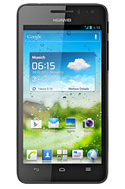
Follow these steps on how to import contacts from SIM Card:
1. On the contact list Lcd, tap on the 3-horizontal icon.
2. Then select Manage Contacts.
3. Tap Copy from SIM card. (Make sure that your SIM card is inserted on your phone.)
4. Touch one contact to individually import, or tap Select All to import all your contacts.
5. Then tap Copy.
Note: If you have more than one account on your phone, tap on the account you want to import the contacts.
Tuesday, September 9, 2014
PDF2Text Pilot Taking Text from PDF
Taking Text from PDF with PDF2Text Pilot - PDF2Text Pilot is a powerful software for use extract text from a PDF document file. Although you can open PDF documents and copy or paste text, PDF2Text offers a more quick to extract text from PDF documents.

This tool can extract text from multiple documents at once. The user interface is simple enough where the conversion process could easily be done, do not need further explanation to use this tool.
Download PDF2Text Pilot
Download PDF2Text Pilot
Sunday, September 7, 2014
How To Make Money From Website or Blog
Make money from your website or blog - Ill tell you all about your website or blog use. everyone wants to make more and more money with their expertise. If youre a developer, designer or a blogger and want to make money from a website or a blog, youve come to the right place. Here I will tell you all the ways to make money from your website or blog.
How to make money from your website or Blog
There are many ways to make money from your website. If you have the caliber to make a website, you can definitely make a lot of money from it. Here are some ways to make money from your website.
How to make money from your website or Blog
There are many ways to make money from your website. If you have the caliber to make a website, you can definitely make a lot of money from it. Here are some ways to make money from your website.
Making money with google adsense (PPC):
In many sites you may see banner ads or text ads and footer text ads you see "Ads by Google" or "AdChoice". they are the ads provided by google adsense through their proogram. you must first create an account on google adsense. After Creating an account in google adsense, copy the code provided by adsense ads, and paste it in your web pages anywhere. for Indian users, Google pays you $ 0.1 to 2 for per click. Instead of google adsense, you can also use other advertising programs like Bidvertiser, Adbrite but I think google adsense is the best advertising programs on the web. Here is a list of some of progrms ppc:
Yahoo Publisher Network - Yahoo AdSense alternative.
Ads-Click - you set the price per click for ads that appear on your site.
AdBrite - control and customization options.
![How]() BidVertiser - PPC network of large programs.
Clicksor - Contextual advertising program.
DoubleClick - Another targeted PPC
Chitika - eMiniMalls not typical PPC program, it is a different type of pay-per-click product promotion.
Sponsor Ads:
Visiblity of your website or your website traffic is important to get a lot of good links for your website. In order to get a good sponsor ads on your website must have traffic both organic and inorganic. Search engine visibilty depends on search engine optimization of your website.
Text Link Advertising
TextAd.biz - text ads basic services.
Text Link Ads (aff.) - Leaders in the paid text link ads.
LinkWorth - Stay up to 70% of the ad revenue.
PaidTextLinks - A program link text smaller.
Adster - Customize your ads to match your website.
Text Link Brokers - Make money buy selling links in a directory on your site.
LinkAdage - match advertisers with publishers
Direct-Link-Ads - Stay up to 75% of the ad revenue.
Direct Sales
NetSuite - Full e-commerce options.
KickStartCart - A shopping cart, merchant accounts and marketing tools.
GotShoppingCart? - The free version is available.
PayPal - One of the lowest-cost option to sell your own products.
3D Cart - Includes marketing, statistics and much more.
ASecureCart - An affordable service cart
Banner Ads
BannerBoxes - you keep 75% of the revenue from each click.
AdDynamix - Also offers other options besides banner only.
AdEngage - not the typical banner ad, there photos with text ads.
Affiliate Program
Commission Junction - One of the leaders. Manages affiliate programs for all types of products.
Amazon - One of the oldest and most affiliate programs successful.
Context Links for the Amazon Affiliate Program - Auto create affiliate links to Amazon products.
Click Bank - All affiliate product download.
LinkShare - Claims to be a pay-for-performance affiliate marketing network site.
Sell Ad Space
AdSonar-Provides content-targeted advertising.
Crisp Ads - name your price for the sponsor directly.
BlogAds - You control the ads that appear on your site.
How to use google adsense in blogger:
To use google adsense on your blogger blog, first you have to go on the tab in the control panel of bloggers monetize and fill out all the required fields. Now bloggers need to approvement request to access your adsense ads from adsense panel. So, you have to confirm your request third parties (blogger) from adsense control panel. For the first login to your adsense account, click on your account settings, and then accept that the blogger (third party) demand seen in the page footer. Add gadgets adsense on your blog and earn money when your readers click on your ad.
In many sites you may see banner ads or text ads and footer text ads you see "Ads by Google" or "AdChoice". they are the ads provided by google adsense through their proogram. you must first create an account on google adsense. After Creating an account in google adsense, copy the code provided by adsense ads, and paste it in your web pages anywhere. for Indian users, Google pays you $ 0.1 to 2 for per click. Instead of google adsense, you can also use other advertising programs like Bidvertiser, Adbrite but I think google adsense is the best advertising programs on the web. Here is a list of some of progrms ppc:
Yahoo Publisher Network - Yahoo AdSense alternative.
Ads-Click - you set the price per click for ads that appear on your site.
AdBrite - control and customization options.

Clicksor - Contextual advertising program.
DoubleClick - Another targeted PPC
Chitika - eMiniMalls not typical PPC program, it is a different type of pay-per-click product promotion.
Sponsor Ads:
Visiblity of your website or your website traffic is important to get a lot of good links for your website. In order to get a good sponsor ads on your website must have traffic both organic and inorganic. Search engine visibilty depends on search engine optimization of your website.
TextAd.biz - text ads basic services.
Text Link Ads (aff.) - Leaders in the paid text link ads.
LinkWorth - Stay up to 70% of the ad revenue.
PaidTextLinks - A program link text smaller.
Adster - Customize your ads to match your website.
Text Link Brokers - Make money buy selling links in a directory on your site.
LinkAdage - match advertisers with publishers
Direct-Link-Ads - Stay up to 75% of the ad revenue.
Direct Sales
NetSuite - Full e-commerce options.
KickStartCart - A shopping cart, merchant accounts and marketing tools.
GotShoppingCart? - The free version is available.
PayPal - One of the lowest-cost option to sell your own products.
3D Cart - Includes marketing, statistics and much more.
ASecureCart - An affordable service cart
Banner Ads
BannerBoxes - you keep 75% of the revenue from each click.
AdDynamix - Also offers other options besides banner only.
AdEngage - not the typical banner ad, there photos with text ads.
Affiliate Program
Commission Junction - One of the leaders. Manages affiliate programs for all types of products.
Amazon - One of the oldest and most affiliate programs successful.
Context Links for the Amazon Affiliate Program - Auto create affiliate links to Amazon products.
Click Bank - All affiliate product download.
LinkShare - Claims to be a pay-for-performance affiliate marketing network site.
Sell Ad Space
AdSonar-Provides content-targeted advertising.
Crisp Ads - name your price for the sponsor directly.
BlogAds - You control the ads that appear on your site.
How to use google adsense in blogger:
To use google adsense on your blogger blog, first you have to go on the tab in the control panel of bloggers monetize and fill out all the required fields. Now bloggers need to approvement request to access your adsense ads from adsense panel. So, you have to confirm your request third parties (blogger) from adsense control panel. For the first login to your adsense account, click on your account settings, and then accept that the blogger (third party) demand seen in the page footer. Add gadgets adsense on your blog and earn money when your readers click on your ad.
Saturday, September 6, 2014
Download Youtube Vidoes from your Windows Mobile Phones for Free
Download Movie Files from your Windows Mobile Phones for Free.

You Tube Downloader built by DRM Removal, is a handy tool to download youtube videos from your Windows mobile phones. A very simple software with easy to use interface.
You can also search in Top Rated, Most Viewed & Most Recent category.
Browse through the list and search the video you want. Select the video that you want to download by checking the box in front of the video you.
Click the Menu button. Click the Download option. Thats all you have to do.
The Application Interface shows the download progress of the videos that are currently being downloaded.Also there is a help section which is accessible by the Help Button placed in the lower right corner of the Interface.
This application is supported by most windows mobile phones that support Portrait & Landscape Views.
Other Requirements include:
You can get your copy of the YouTube Downloader here.
Read here..
You Tube Downloader built by DRM Removal, is a handy tool to download youtube videos from your Windows mobile phones. A very simple software with easy to use interface.
Downloading a video
The interface consists of a search bar. Just type in the name of your favourite video . Clicking Search yields all the videos associated with that name in the form of a list each result having a checkbox in front of it.You can also search in Top Rated, Most Viewed & Most Recent category.
Browse through the list and search the video you want. Select the video that you want to download by checking the box in front of the video you.
Click the Menu button. Click the Download option. Thats all you have to do.
The Application Interface shows the download progress of the videos that are currently being downloaded.Also there is a help section which is accessible by the Help Button placed in the lower right corner of the Interface.
Key Features
The key features include being easy to use & fast, the picture & sound quality of the downloaded videos are excellent, there are no adwares or spywares & it’s FREE!!This application is supported by most windows mobile phones that support Portrait & Landscape Views.
Requirements
Running YouTube always means a good amount of data download. While using YouTube Downloader, it’s highly recommended that you take a good data plan or better use a wi-fi for downloading the Videos.Other Requirements include:
- A Windows Mobile Phone v 5.0 or higher
- .NET Compact Framework 2.0 or Higher installed.
- An internet Connectivity to access YouTube
Installation
Installing the YouTube Downloader for Windows Mobile is the simplest job. Just download the installer & run it.You can get your copy of the YouTube Downloader here.
Subscribe to:
Posts (Atom)