Showing posts with label Import. Show all posts
Showing posts with label Import. Show all posts
Friday, November 21, 2014
Outlook com now allows import Yahoo email and other
In December last year, Microsoft unveiled a new feature of Outlook com (compatible with adresses@outlook.fr and former Microsoft mails). Importing automatic messages from Gmail.A procedure that allows a complete transfer and management from the webmail Microsoft, as with a desktop client.
Now its Yahoo Mail that will be compatible.In a new blog post, Microsoft explained that the feature has met with success and extends Yahoo webmail service.It is for the giant, to answer the problem of multiple mail accounts.
81% of users have multiple webmail services
The use of multiple addresses for different situations has been strengthened by the need to create accounts on the main services giants.Accounts mostly related to the creation of an address belonging to the webmail service concerned.Impractical, and the source of many aliases: 81% of users have several email services, according to a study cited by Radius Global Microsoft.
So it opens its import wizard - and management - to Yahoo mail, and other webmail providers, provided they are compatible with the IMAP protocol.The procedure is relatively simple, and allows the end to send and receive emails with the Yahoo address directly from Outlook.com.
Better, it is possible to discuss with its instant messaging contacts directly from Microsoft tool.The extension of this feature to Yahoo is not clear, but with Gmail, you can directly contact relations from Gtalk chat Outlook.com.
Note that since it is IMAP, it does not affect the display of emails in Yahoo: an open message will be in both boxes, it is also deleted.But there is no suppression of this downloading as POP3, the two boxes being synchronized.

Friday, October 10, 2014
How to Import Contacts from SIM Card on Huawei Ascend G615
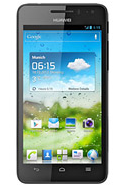
Follow these steps on how to import contacts from SIM Card:
1. On the contact list Lcd, tap on the 3-horizontal icon.
2. Then select Manage Contacts.
3. Tap Copy from SIM card. (Make sure that your SIM card is inserted on your phone.)
4. Touch one contact to individually import, or tap Select All to import all your contacts.
5. Then tap Copy.
Note: If you have more than one account on your phone, tap on the account you want to import the contacts.
Subscribe to:
Posts (Atom)