Showing posts with label Contacts. Show all posts
Showing posts with label Contacts. Show all posts
Friday, October 10, 2014
How to Import Contacts from SIM Card on Huawei Ascend G615
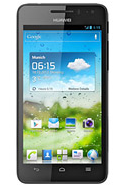
Follow these steps on how to import contacts from SIM Card:
1. On the contact list Lcd, tap on the 3-horizontal icon.
2. Then select Manage Contacts.
3. Tap Copy from SIM card. (Make sure that your SIM card is inserted on your phone.)
4. Touch one contact to individually import, or tap Select All to import all your contacts.
5. Then tap Copy.
Note: If you have more than one account on your phone, tap on the account you want to import the contacts.

Friday, October 3, 2014
How to Link Duplicate Contacts on Sony Xperia Z2 Tablet
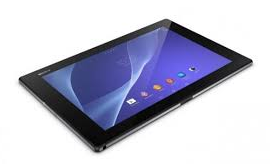 Duplicate contacts usually happens when you import your old contacts to your new device or when you synchronize your contacts with the other account. On your Sony Xperia Z2 Tablet, you can avoid dupicate contacts and instead link these two to create a single entry. If you happen to link two contacts by mistake, you can separate them again. Heres how you can link two contacts.
1. On your devices homeLcd, tap on
 .
.2. Tap on
 and tap the contact you want to link with another contact.
3. Press on
 and tap Link contact.
4. And tap the contact whose information you want to be linked with the first one. Tap OK to confirm. The first contact no longer appears on your contact list but is merged with the second contact.
Now if you mistakenly linked two contacts
on your homeLcd and then tap on.2. Then tap on the linked contact you want to edit.
3. And tap on
 . Tap on Unlink contact on the list and tap on OK to confirm.
Subscribe to:
Posts (Atom)