Showing posts with label card. Show all posts
Showing posts with label card. Show all posts
Friday, October 10, 2014
How to Import Contacts from SIM Card on Huawei Ascend G615
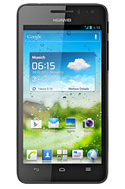
Follow these steps on how to import contacts from SIM Card:
1. On the contact list Lcd, tap on the 3-horizontal icon.
2. Then select Manage Contacts.
3. Tap Copy from SIM card. (Make sure that your SIM card is inserted on your phone.)
4. Touch one contact to individually import, or tap Select All to import all your contacts.
5. Then tap Copy.
Note: If you have more than one account on your phone, tap on the account you want to import the contacts.

Tuesday, September 30, 2014
How to Reformat Memory Card on Samsung Galaxy Express
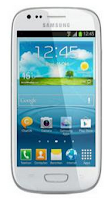
You may not be able to reformat your memory card on your computer. So try it through your device:
1. On your Home Lcd, tap Apps.
2. Select Settings.
3. Go to Storage.
4. Then tap Format SD card > Format SD card.
5. Tap Erase everything to confirm the action.
Sunday, September 7, 2014
How To View Specifications VGA Card Computer Laptop PC
To view detailed specifications and all features tertanan in VGA Card installed on your PC or laptop computer you can diliha by using a small software called GPU-Z.
This software is quite popular among practitioners of hardware, GPU-Z now has reached version 0.6.2 with the addition of several new vga card database. Some of them have VGA card terabru plus the NVIDIA GeForce GTX 690, GTX 670, GT 640, GT 630, GeForce 605, Quadro 3000m, GTX 675M, GTX 670M and AMD Radeon HD 7970M, HD 7450.
This software is quite popular among practitioners of hardware, GPU-Z now has reached version 0.6.2 with the addition of several new vga card database. Some of them have VGA card terabru plus the NVIDIA GeForce GTX 690, GTX 670, GT 640, GT 630, GeForce 605, Quadro 3000m, GTX 675M, GTX 670M and AMD Radeon HD 7970M, HD 7450.

Subscribe to:
Posts (Atom)