Showing posts with label Express. Show all posts
Showing posts with label Express. Show all posts
Tuesday, September 30, 2014
How to Reformat Memory Card on Samsung Galaxy Express
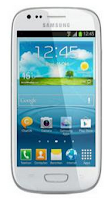
You may not be able to reformat your memory card on your computer. So try it through your device:
1. On your Home Lcd, tap Apps.
2. Select Settings.
3. Go to Storage.
4. Then tap Format SD card > Format SD card.
5. Tap Erase everything to confirm the action.

Friday, September 26, 2014
How to Play Movies TV on Samsung Galaxy Express
With the use of Google Play Movies & TV app, you can now rent thousands of different movies and television shows. You have an option to watch the movies directly on your phone instantly, or you can also download it and watch it later if you have spare time. Just follow the steps below on how to play movies and tv.
1. From the Home Lcd, tap on Apps icon, and select Movie icon or the Play Movies & TV.
.
2. You need to log on to your Google account if you have not already done so.
3. Just follow the on-Lcd instructions for renting and viewing movies.
4. Tap the MOVIES tab to view movies you can rent.
5. Tap the TV SHOWS tab to view shows you can rent.
6. Tap the PERSONAL VIDEOS tab to view movies you have on your phone or memory card.
7. Press for additional options.
How to Reduce the Battery Consumption on Samsung Galaxy Express
To reduce the battery consumption, follow these simple tips:
● Switch to Sleep mode by pressing the Power key when you are not using your device.
● Close unnecessary applications with the task manager.
● Deactivate the Bluetooth feature.
● Deactivate the Wi-Fi feature when not in use.
● Deactivate auto-syncing of applications.
● Decrease the backlight time.
● Decrease the brightness of the display.
● Activate Power saving mode.
● Switch to Sleep mode by pressing the Power key when you are not using your device.
● Close unnecessary applications with the task manager.
● Deactivate the Bluetooth feature.
● Deactivate the Wi-Fi feature when not in use.
● Deactivate auto-syncing of applications.
● Decrease the backlight time.
● Decrease the brightness of the display.
Subscribe to:
Posts (Atom)