Showing posts with label Network. Show all posts
Showing posts with label Network. Show all posts
Thursday, November 20, 2014
PlayStation Network Fails Hackers totally claim the responsibility
The PlayStation Network, Sony’s online service about its game consoles, has become down all morning in The United States, leaving gamers with no other way to play online multiplayer games.
A group of Hackers referred to as Lizard Squad has claimed responsibility for that unfortunate attack, but involvement of hackers doesnt verified yet. The group has obviously had a busy morning, as they have reportedly been linked to attacks on "Server" of Blizzard’s major games, including Diablo 3, World Of Warcarft & Hearthstone, reports ShackNews.
Sony states that the engineers will work to fix the problems, but it didn’t come with an expected estimate for a solution during this time.
Fortunately, this attack has only disassembled PSN’s servers. Sony is liable doing everything it may to avoid a new repeat of 2011’s well known PSN hack, which revealed data from over 12,3 million members accounts.

Thursday, September 25, 2014
How to Turn Wi Fi On and Connect to a Wi Fi Network on ZTE Avid 4G
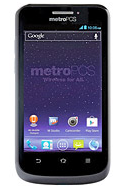
1. Press the Home Key > Menu Key > System settings > Wi-Fi.
2. Then slide the Wi-Fi switch to the ON position to turn on Wi-Fi.
You phone will automatically searches for Wi-Fi networks in range and displays their names and security settings. Your phone also connects to previously linked networks when they are in range.
3. Touch a network name to connect to it. If the network is secured, enter a password or other credentials.
Adding a Wi-Fi Network:
You can add a Wi-Fi network if it does not broadcast its name (SSID), or when it is not in range.
1. Press the Home Key > Menu Key > System settings > Wi-Fi.
2. Then slide the Wi-Fi switch to the ON position.
3. Tap ADD NETWORK and enter the network SSID (name). If necessary, enter security or other network configuration details.
4. Then tap Save.
Subscribe to:
Posts (Atom)