Showing posts with label Avid. Show all posts
Showing posts with label Avid. Show all posts
Thursday, September 25, 2014
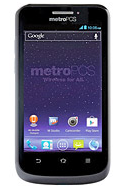
How to Extend Battery Life of ZTE Avid 4G
• Lessen the Lcd brightness and the Lcd lock timeout.
• Turn down your device volume with the volume keys.
• Close any apps or features when you are done using it so they will not continuously running in the background.
• Turn off the network connection if you are out of range so that your device will stop searching for a network signal.
• You should use the latest version of the software update. Software updates improves some features and fixes some bugs on the previous software version.
• Turn off the camera flash.

How to Turn Wi Fi On and Connect to a Wi Fi Network on ZTE Avid 4G
1. Press the Home Key > Menu Key > System settings > Wi-Fi.
2. Then slide the Wi-Fi switch to the ON position to turn on Wi-Fi.
You phone will automatically searches for Wi-Fi networks in range and displays their names and security settings. Your phone also connects to previously linked networks when they are in range.
3. Touch a network name to connect to it. If the network is secured, enter a password or other credentials.
Adding a Wi-Fi Network:
You can add a Wi-Fi network if it does not broadcast its name (SSID), or when it is not in range.
1. Press the Home Key > Menu Key > System settings > Wi-Fi.
2. Then slide the Wi-Fi switch to the ON position.
3. Tap ADD NETWORK and enter the network SSID (name). If necessary, enter security or other network configuration details.
4. Then tap Save.
Subscribe to:
Posts (Atom)