Showing posts with label G. Show all posts
Showing posts with label G. Show all posts
Tuesday, November 11, 2014
LG unveils Android Wear powered G Watch

Well, as said in our last article, we have the first device out, running Androids Wear platform out of the box. The South Korean electronics manufacturer announces their first Android Wear running smartwatch, and their fourth Google collaborated device after the Google Play Edition G Pad 8.3, dubbed as the new LG G Watch.
There is no exact information coming out from LG at the moment of their new fashionable wearable G Watch, nor we know what the kind of internal specification the newly announced smartwatch from LG runs on. Though we have some details to share with you, folks. The Koreans have promised us to introduce their new creation to the global markets for the public in second quarter of this year, where the G Watch will be compatible with a wide range of Android powered smartphones from the current market. The device will screen-in relevant information to users when they need it. As said in the introduction of Android Wear, you will have to use the hotkey, "Okay Google" for the LG made G Watch to answer your questions or get the things done.
It is also read that, the LG G Watch will be a low barrier to entry, seeking new developers, offering the best Google experience for its users.
"The opportunity to work with Google on LG G Watch was the perfect chance for LG to really pull out all stops in both design and engineering. With the LG G Watch, LG is continuing the milestones weve set in wearables following in the foot-steps of the world’s first 3G Touch Watch Phone in 2009 and the Prada Link in 2008. We’re confident that a well-designed device has the potential to take the smart wearable market by storm," said Dr. Jong-seok Park, President and CEO of LG Electronics Mobile Communications Company.
Source: LG

Thursday, October 30, 2014
Reliance selling CDMA variant of Moto G with EMI Plans Zero Down Payment
The Reliance Communications has introduced the 8 GB version of the Motorola Moto G in CDMA variant for Rs.13,490 in India, and this device is also available with EMI plans with zero down payment. Reliance is also offering optional Zero Plan for 6 or 12 months with the device as we have seen with the iPhone 5s and 5c. This offer gives unlimited local and STD calls, free national roaming, 3000 SMS per month and unlimited 3G data.

For people who want to avail this device on EMI scheme can pay only through ICICI credit cards, which includes 6 months plan where the buyer needs to pay Rs. 2334 per month and for the plan of 12 months you have to pay Rs. 1205. As the mobile is imported from international markets, Reliance is assuring one year warranty and similar to Boost or Verizon variant in U.S. it will not have any SIM slot. Every other feature of the smart phone is retained, except that it is a CDMA variant.
The Moto G has a 4.5 inch IPS LCD capacitive multi touch Lcd, with Corning Gorilla Glass 3 protection. It is powered with Quad-core 1.2 GHz Cortex-A7 processor coupled with Adreno 305 GPU and 1 GB of RAM. The device will be running on the latest Android 4.4 (KitKat) Operating System and has a 5 MP auto focus camera on the rear with LED flash and also a 1.3 MP front facing camera. The on board memory of the device is at 8 GB that cannot be extended and has the connectivity of Wi-Fi, Bluetooth, GPRS, GPS and 3G. To power the device there is a 2070 mAh battery on the back.
Thursday, October 9, 2014
How to Backup and Factory Reset LG Optimus G Pro
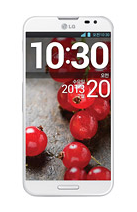
Resetting your Optimus G Pro will restore the default settings of your device. It will also delete all your files on your phone, so it is recommended to backup all your important files on your computer.
Luckily in Optimus G Pro, you can backup your data through your phone on privacy settings before wiping all the data on your phone. But if you want to erase all the content on your phone, then there’s no need for you to backup your data.
To backup your data:
You can only backup app data, Wi-Fi passwords, and other settings to Google servers.
Step 1. Tap on the Home Icon > Three Horizontal Lines or Settings.
Step 2. Select System settings > Backup & reset.
Step 3. Double check if the Backup account is correct.
Step 4. Then tap Back up my data. (A blue checkmark will appear.)
Step 5. If you want to set to the automatic restore backups, tap Automatic restore. (A blue checkmark will appear.)
To Factory Reset Your Optimus G Pro:
Step 1. Tap on the Home Icon > Three Horizontal Lines or Settings.
Step 2. Select System settings > Backup & reset.
Step 3. If you want to proceed in restoring the factory settings, tap Factory data reset.
Step 4. Then tap Reset phone.
Step 5. Enter the unlock sequence if you have, then tap Erase everything to confirm.
Subscribe to:
Posts (Atom)