Showing posts with label show. Show all posts
Showing posts with label show. Show all posts
Monday, October 13, 2014
How to Screen Mirror Sony Xperia Z2 to Show the Screen on a TV
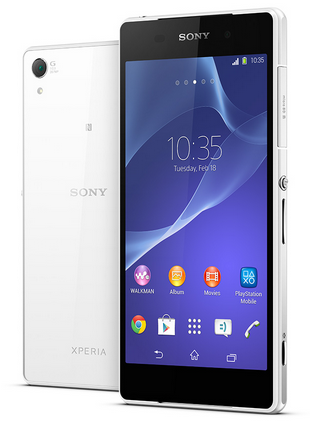 The Screen Mirroring will allow you to show the Lcd of your device on a TV or other large display using a cable connection or wirelessly using a Wi-Fi. It uses the Wi-Fi Direct technology that create a wireless connection between two devices. You can also use this feature to listen to music from your phone via the TVs speakers.
Mirroring the Lcd of your device on a TV using a cable:
You can connect your device to a TV set using an MHL cable or a HDMI cable and view content saved in your device on the TV Lcd. When you connect your device in this way to a compatible TV set, the TV launcher application opens. This application helps you to play media files from your device on TVs and other devices.
Note: You may have to purchase a cable and an adaptor separately.
To view content from your device on a TV which supports MHL input
1. Connect your device to the TV using an MHL cable. MHL iconappears in your devices status bar after a connection is established.
2. The TV launcher application starts automatically. Follow the instructions to view your media files on the TV.
To view content from your device on a TV which supports HDMI™ input
1. Connect your device to an MHL adaptor, and connect the adaptor to a USB power supply.
2. Connect the adaptor to a TV using a HDMI™ cable. appears in your devices status bar after a connection is established.
3. The TV launcher application starts automatically. Follow the instructions to view your media files on the TV.
To view help about using the TV remote control
1. While your device is connected to the TV set, drag the status bar downwards to open the Notification panel.
2. Tap MHL connected.
Note: You can also press the yellow button on the TV remote control to open the Notification panel.
To disconnect your device from the TV set
• Disconnect the MHL™ cable or the MHL adaptor from your device.
How to Mirror the Lcd of your device wirelessly on a TV
You can use Screen mirroring feature to show the Lcd of your device on a TV or other large display without using a cable connection.
Warning: Your TV must support Lcd mirroring based on Wi-Fi CERTIFIED Miracast™ for the functionality described above to work. If your TV does not support Lcd mirroring, you may need to purchase a wireless display adapter separately.
Warning: When using Lcd mirroring, the image quality may sometimes be negatively impacted if there is interference from other Wi-Fi® networks.
To mirror the Lcd of your device on a TV Lcd
1. TV: Follow the instructions in the User guide for your TV to turn on the Lcd mirroring function.
2. Your device: From your Home Lcd, tap Apps icon.
3. Find and tap Settings > Xperia™ Connectivity > Screen mirroring.
4. Tap Turn on Screen mirroring and select the device to which you want to mirror content.
Warning: When using Lcd mirroring, do not cover the Wi-Fi antenna area of your device.
Warning: Your TV must support Lcd mirroring based on Wi-Fi CERTIFIED Miracast™ for the functionality described above to work.

Wednesday, September 3, 2014
ZTE Show Newest Mobile Windows Phone with 5 9 inch screen and HD resolution
ZTE Show Newest Mobile Windows Phone with 5.9-inch screen and HD resolution? -One site in the country namely China microblog service Weibo which is in China as well as Twitter in China, was exhibiting a photograph that is a Windows mobile phone and photo exhibited by one of ZTEs head of marketing called Lu Qian Hao. Seen in the picture that the phone will have a large screen size that measures 5.9 inches with a resolution of Full HD and DTS audio technologies contained therein.
When finally the ZTE phones bring to the market this phone is certainly going to be a first for a smartphone phablet windows phone which has a very large screen so users no longer need to buy a tablet. But unfortunately it has not been clear about whether to use the mobile phone operating system Windows Phone 8? but as we all know that the operating system Windows Phone 7.5 seem to be having expired and for the operating system Windows Phone 8 also been officially announced by the Microsoft, and of course, most likely this phone will run with Windows Phone 8 OS to date.
Subject Full HD resolution that will be used to screen phone looks doubtful for windows phone 8 as is known not to support this resolution and to present officially only supports a maximum of only up to 720 p but was informed that the ZTE will be making modifications or dikatakn WP 8 tweak where the phone can use Full HD resolution as expected.
When finally the ZTE phones bring to the market this phone is certainly going to be a first for a smartphone phablet windows phone which has a very large screen so users no longer need to buy a tablet. But unfortunately it has not been clear about whether to use the mobile phone operating system Windows Phone 8? but as we all know that the operating system Windows Phone 7.5 seem to be having expired and for the operating system Windows Phone 8 also been officially announced by the Microsoft, and of course, most likely this phone will run with Windows Phone 8 OS to date.
Subject Full HD resolution that will be used to screen phone looks doubtful for windows phone 8 as is known not to support this resolution and to present officially only supports a maximum of only up to 720 p but was informed that the ZTE will be making modifications or dikatakn WP 8 tweak where the phone can use Full HD resolution as expected.
Subscribe to:
Posts (Atom)