Showing posts with label Reinstall. Show all posts
Showing posts with label Reinstall. Show all posts
Thursday, October 9, 2014
How to Uninstall and Reinstall Apps on Motorola Photon Q 4G LTE
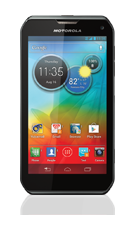
Follow these steps on how to uninstall and reinstall your apps.
To uninstall an app:
- From your Home Lcd, tap Menu.
- Then select Manage Apps.
- Tap on the app you want to Disable or Uninstall.
Disabling the app will remove it from your menu. If you want to Enable it again, just reopen the window and tap Enable.
In case the app locks up your phone as you turn it on, just restart your phone in Safe Mode. Turn off your phone and turn it back after a minute. If you see a Motorola logo during the power up, press and hold both volume keys until you see the home Lcd, with Safe Mode in the lower left. Then you may try removing the app.
To reinstall an app:
If the app is from Google play store, simply go to Apps > Play Store > My apps. From there you can see your apps ready to download again.

Saturday, October 4, 2014
How to Uninstall and Reinstall Apps on Motorola Atrix HD
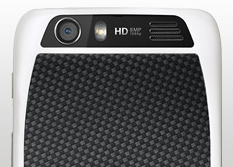
Follow these steps on how to uninstall and reinstall your apps.
To uninstall an app:
- Tap on Apps
 , then select the Gear icon or Settings.
- Select Apps, then tap All.
- Tap on the app you want to Disable or Uninstall.
Disabling the app will remove it from your menu. If you want to Enable it again, just reopen the window and tap Enable.
In case the app locks up your phone as you turn it on, just restart your phone in Safe Mode. Turn off your phone and turn it back after a minute. If you see a Motorola logo during the power up, press and hold both volume keys until you see the home Lcd, with Safe Mode in the lower left. Then you may try removing the app.
To reinstall an app:
If the app is from Google play store, simply go to Apps > Play Store > My apps. From there you can see your apps ready to download again.
Subscribe to:
Posts (Atom)