Showing posts with label Voicemail. Show all posts
Showing posts with label Voicemail. Show all posts
Wednesday, October 1, 2014
How to Set Up Voicemail Service on Sony Xperia E
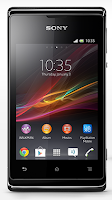
To set up your voicemail number:
1. On your devices homeLcd, tap on Menu icon
 to enter your voicemail number.
2. Go to Settings menu.
3. Select Call Settings > Select SIM card,
4. Select a SIM that you want to use, then tap Voicemail Settings.
4. Choose Voicemail Number so you can enter your designated voicemail service number.
5. And lastly tap on OK.
To call your voicemail service number:
1. On your homeLcd, tap on the Menu icon
.2. Look for Phone and tap it.
3. And touch and hold for seconds the number 1.

How to Set Up Voicemail Service on Sony Xperia SP

To set up your voicemail number:
1. On your devices homeLcd, tap on Menu icon
to enter your voicemail number.2. Go to Settings menu.
3. Select Call Settings > Select SIM card,
4. Select a SIM that you want to use, then tap Voicemail Settings.
4. Choose Voicemail Number so you can enter your designated voicemail service number.
5. And lastly tap on OK.
To call your voicemail service number:
1. On your homeLcd, tap on the Menu icon
.2. Look for Phone and tap it.
3. And touch and hold for seconds the number 1.
Subscribe to:
Posts (Atom)